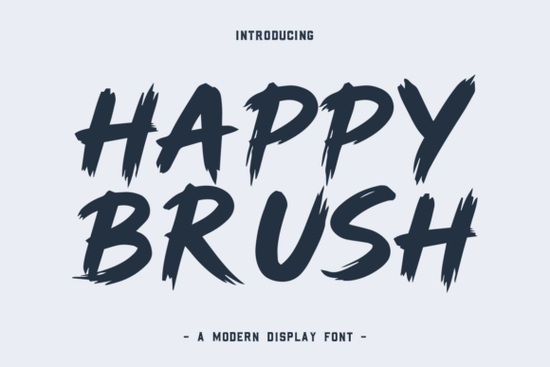
If you’ve ever wanted your designs to feel like they were made with a real paintbrush full of energy, warmth, and a little happy imperfection you’ll love the Happy Brush Font. It’s not just another script; it’s a lively, hand-painted typeface that brings an organic, cheerful vibe to everything from greeting cards to product labels. Whether you’re designing for a small business, creating printable wall art, or personalizing gifts, Happy Brush adds instant personality without looking overdone.
What makes this font stand out is how naturally it flows. The strokes mimic real brushwork slightly uneven, softly textured, and full of movement so your text never feels stiff or robotic. That human touch matters, especially when you’re trying to connect with customers or friends through handmade-style visuals.
When should you use Happy Brush?
This font shines in projects where friendliness and authenticity are key. Think:
- Invitations – birthday parties, baby showers, casual weddings
- Social media quotes – motivational posts with a soft, uplifting feel
- Branding for small shops – bakeries, craft studios, or wellness brands
- Packaging and labels – for soaps, candles, or artisanal food items
- Print-on-demand products – mugs, tote bags, or T-shirts with handwritten charm
Because it’s playful but not childish, Happy Brush works well across age groups and styles. Pair it with clean sans-serifs for contrast, or layer it over watercolor backgrounds for a cozy, creative look.
How does it compare to other hand-lettered fonts?
Not all brush fonts feel equally “real.” Some are too uniform; others lean too cartoonish. Happy Brush lands in a sweet spot it’s energetic but legible, textured but not messy. If you like its vibe, you might also enjoy exploring similar display fonts with their own personalities, like Farmstead, which offers rustic warmth, or Doodle Line, perfect for sketchbook-inspired projects. For something bolder and comic-inspired, Comic Books delivers high-energy impact, while Crafty Bloom leans into floral, whimsical details. And if you’re after sugary sweetness, Strawberry Milk Candy brings a kawaii twist that pairs surprisingly well with Happy Brush for youthful designs.
Is it easy to use for beginners?
Absolutely. Happy Brush comes as a standard OpenType font file, so once installed, it works in any design software Canva (with font upload), Adobe Illustrator, Photoshop, Affinity, or even Silhouette Studio. No special plugins needed. Just type, and the natural variation in letterforms does the rest.
Pro tip: Avoid using it in all caps for long phrases. Its charm lives in the lowercase flow and connecting strokes. For headlines or short phrases (“Hello Summer!” or “Made with Love”), it’s ideal.
If you’d like to see how it compares to thousands of other options, you can browse the full collection on Happy Brush Font.
Does it support multiple languages?
Yes Happy Brush includes extended Latin characters, so it covers most Western European languages (like French, Spanish, German, and Portuguese). That’s helpful if you’re creating products for international customers or bilingual events.
Final thoughts before you download
Fonts like Happy Brush succeed because they don’t try to be perfect. Their slight wobbles, varying line weights, and organic rhythm make them feel human which is exactly what today’s audiences respond to. In a world of sleek minimalism, a little joyful imperfection can be refreshing.
Before you start your next project, ask yourself: Does this need to feel warm? Inviting? Like it was made by hand, with care? If yes, Happy Brush is likely a great fit.
Quick checklist before using Happy Brush:
- Use it for short text headlines, names, quotes not body paragraphs.
- Pair it with simple, neutral fonts to avoid visual clutter.
- Test readability at small sizes; it’s best used large or medium.
- Consider adding subtle texture overlays to enhance the handcrafted feel.
- Check licensing if you’re selling products most Creative Fabrica fonts include commercial use.
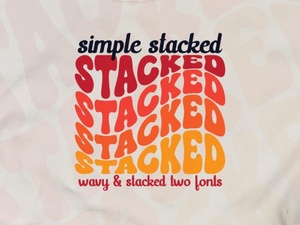 Building a Simple Stacked Font
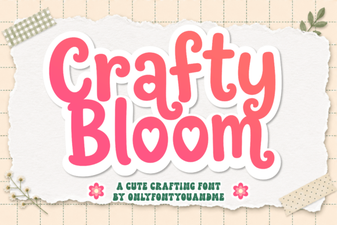 Crafty Bloom Font: Elegant Handcrafted Typography
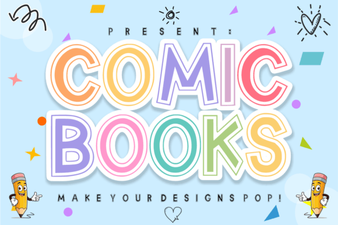 Designing with Comic Book Fonts for Creative Projects
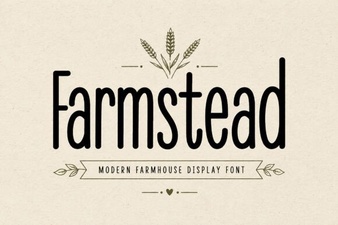 Farmstead Fonts: Vintage Typography for Modern Projects
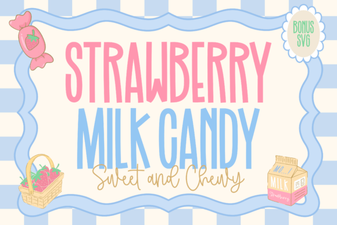 Strawberry Milk Candy Font Design Ideas & Tips
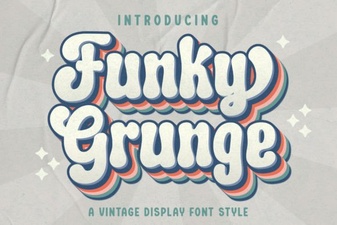 Funky Grunge Fonts for Bold, Edgy Designs